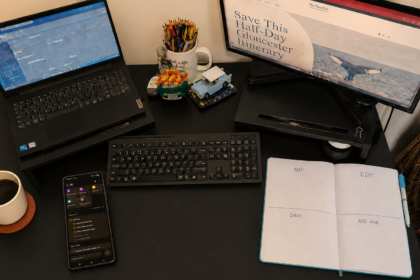
My Sunday reset doesn’t begin on Sunday. It begins with three recurring reminders on my phone every Monday evening.
I’m trying to fit a lot into a limited amount of time. I’m a mom, I work full time, I want to exercise, add in self care, keep the house running and still have enough energy to enjoy my life. If I saved every cleaning task, errand and piece of life admin for Sunday, I would spend the whole weekend trying to catch up.
So I spread the reset across the week. Monday through Friday, my phone gives me a few small evening tasks. My Saturday and Sunday reminders arrive in the morning. And every Friday at 4:30 a.m., before the house wakes up, it’s me and coffee against the world for an hour of adult-life admin.
This routine isn’t about doing everything perfectly. It is how I keep ordinary life from piling up.
Why I Stopped Saving Everything for Sunday
The problem was never that I didn’t know what needed to be done. I knew. I just didn’t have enough time to do everything at once. Between work, parenting, exercise, self care, cleaning, and the regular responsibilities of adult life, a long Sunday reset list felt like another job waiting for me.
What changed was not magically finding more time. I started using the small windows I already had. I assigned a few repeatable tasks to each evening and let recurring phone reminders hold the list instead of expecting my brain to remember everything.
Sunday still includes resetting, meal prep and mopping, but it no longer has to rescue the entire week. By the time Sunday arrives, I’m continuing a rhythm that began on Monday, not starting from zero.
The Three Reminders That Anchor My Weeknights
At 6:30 p.m. Monday through Friday, a recurring list appears in my Samsung Reminder app. Any reminder app would work, but having the list appear automatically means I don’t have to look around after a full workday and decide where to begin.
The timing is intentional. Our bedtime routine begins at 7:00 p.m., so this gives me a short transition window to move the house forward before my attention shifts to bedtime.
Most evenings are built around the same three anchors:
- One load of laundry
- One specific household or planning task
- One 10-minute home reset
This isn’t meant to become another evening cleaning shift. One load keeps the laundry moving instead of saving it all for the weekend. One focused task prevents me from trying to clean the entire house. The 10-minute reset keeps everyday mess from piling up.
The focused task changes depending on what that part of the week needs, but the basic structure stays familiar: do a little, then stop.
My Monday-Through-Friday Reset
Once I had the basic three part structure, I assigned each weekday its own focus. This keeps me from cleaning whichever room looks the loudest or trying to remember what I meant to handle later.
My current weekday reminders are:
- Monday: One load of laundry, wipe down the kitchen and complete a 10-minute home reset.
- Tuesday: One load of laundry, wipe down the bathroom and complete a 10-minute home reset.
- Wednesday: One load of laundry, clean the living room and complete a 10-minute home reset.
- Thursday: One load of laundry, begin next week’s meal plan, add the ingredients to my curbside-pickup cart and complete a 10-minute home reset.
- Friday: One load of laundry, double-check the backpack for missed homework or forms before the weekend and complete a 10-minute home reset.
Thursday’s reminder gives me time to adjust the meal plan and grocery cart before Saturday’s pickup. Friday’s backpack check keeps school papers from being discovered late Sunday night.
This is not a list of everything the house could possibly need. It is the small amount of maintenance that keeps the week moving.
Friday at 4:30 A.M.: Me and Coffee Against the World
The hour before the house wakes up is the part of the day I protect for myself. What I do with it changes throughout the week. Every three days, I use the morning to wash my hair. On Tuesday, Thursday and Saturday, I complete a 30-minute exercise routine. Friday morning is reserved for organizing my adult life.
At 4:30 a.m., with coffee beside me, I spend about an hour:
- Paying bills and scheduling credit card payments
- Reviewing my bank accounts and investments
- Checking appointments and the calendar
- Handling school emails, sports registrations and forms
- Writing down any loose ends taking up mental space
It may not look like conventional self-care, but it gives me more room to enjoy the weekend. Instead of carrying those unfinished decisions in my head while trying to relax, I have given them a specific place in my week.
For one quiet hour, it’s me and coffee against the world.
My Saturday and Sunday Morning Reset
My weekend reminders arrive at 7:00 a.m. instead of in the evening. I prefer handling these tasks early so they don’t hover over the rest of the weekend.
My Saturday reminders are:
- Clean my car, a quick reset, throw out any trash, vacuum and wipe down
- Complete a 10-minute home reset
- Pick up the curbside grocery order
My Sunday reminders are:
- Complete a 30-minute home reset
- Meal prep
- Mop the floors
Sunday still includes a longer reset, but the smaller tasks I completed throughout the week mean it does not have to become an entire-house rescue. It finishes the rhythm I started on Monday and prepares the essentials for the week ahead.
Once it is done, I can move into the rest of the day without carrying a giant catch-up list with me.
Why I Moved From Paper to Phone Reminders
Smaller resets are not new to me. I have been doing them for years, but the way I keep track of them has changed.
I started with a written checklist. The problem was that I would leave the planner closed or look around and tackle whatever seemed messiest at that moment. The list could not guide me if I never opened it.
About two years ago, I moved the tasks into my cellphone calendar. That kept them visible, but eventually the routine tasks filled so many time slots that my actual schedule became visually overwhelming.
Moving the recurring household tasks into the Reminder app has been my most recent edit. My calendar can hold appointments and places I need to be, while the Reminder app holds the flexible tasks I need to complete. The reminders appear automatically, but I can check them off or move them without rearranging my entire calendar.
The small-reset routine is not new. I finally found a better place to keep it.
The Edit: A Routine That Bends With Real Life
If I miss a day, I don’t treat it as proof that the system failed. I usually reschedule the task for my next morning power hour before the house wakes up. Sometimes I catch up right away. Other times, the task waits another day or two.
I do what I can, when I can. The point is not to follow a rigid schedule that breaks the first time life gets hard. It is to do a little consistently so one day does not have to carry everything.
If you want to build your own version, start with three recurring reminders:
- One repeating maintenance task
- One focused household or planning task
- One short home reset
Choose a time when you are normally home, try the reminders for one week and pay attention to what fits. Keep what makes life easier and edit what doesn’t.
If family routines are part of what you’re organizing, my visual morning routine for kids is another example of using a simple sequence instead of relying on memory.
Start with three reminders, and let the first week be information, not a test.
Tools That Make My Reset Easier
Disclosure: I may earn a commission if you purchase through the links below, at no extra cost to you. As an Amazon Associate I earn from qualifying purchases.
I don’t need special tools to make this routine work, but these three make it easier to do a little at a time instead of letting everything build into a weekend-sized job.
- Robot vacuum: I let it handle everyday crumbs and dust while I work on another part of the reset. It helps keep the floors from reaching the point where they feel like an entire project. See the robot vacuum I use.
- O-Cedar mop: This is what I use for my Sunday mopping task. It is simple to pull out, use and put away, which makes me much more likely to actually finish the job. See the mop I use.
- Cordless vacuum: This is my quick-grab option for corners, small messes and the car when pulling out a full-size vacuum feels unnecessary. See the cordless vacuum I use.
These tools are not requirements for completing a reset. They simply help me do what I can, when I can, and keep the plan flexible when life gets busy.